Note
Access to this page requires authorization. You can try signing in or changing directories.
Access to this page requires authorization. You can try changing directories.
Delays responses by a random number of milliseconds from the configured range. Supports both HTTP requests and STDIO communication.
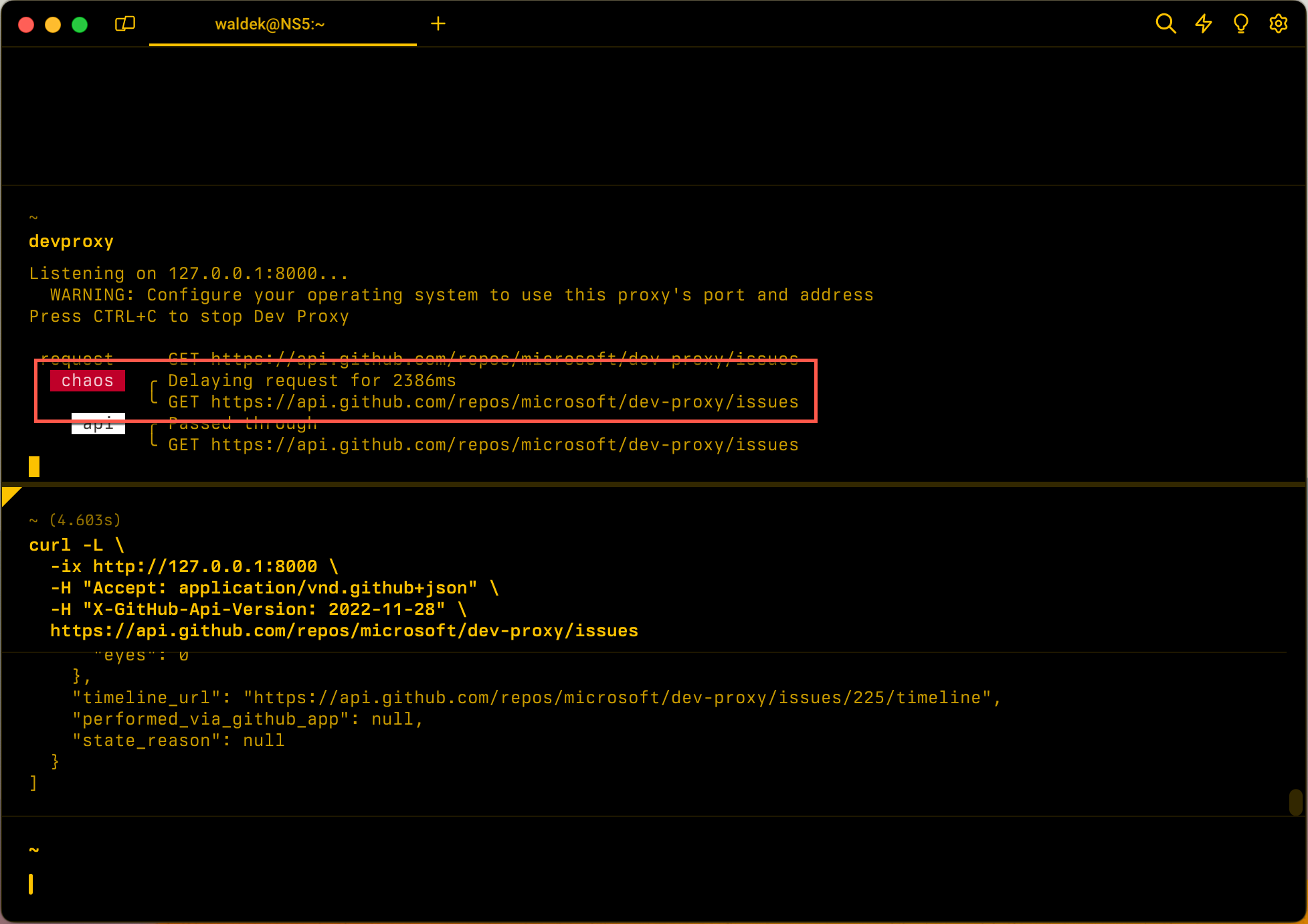
Configuration example
{
  "$schema": "https://raw.githubusercontent.com/dotnet/dev-proxy/main/schemas/v4.0.0/rc.schema.json",
  "plugins": [
    {
      "name": "LatencyPlugin",
      "enabled": true,
      "pluginPath": "~appFolder/plugins/DevProxy.Plugins.dll",
      "configSection": "latencyPlugin"
    }
  ],
  "latencyPlugin": {
    "$schema": "https://raw.githubusercontent.com/dotnet/dev-proxy/main/schemas/v4.0.0/latencyplugin.schema.json",
    "minMs": 200,
    "maxMs": 10000
  }
}
Configuration properties
| Property | Description | Default |
|---|---|---|
minMs |
The minimum amount of delay added to a request in milliseconds. Must be less than or equal to maxMs. |
0 |
maxMs |
The maximum amount of delay added to a request in milliseconds. | 5000 |
Command line options
None
Remarks
Dev Proxy validates the plugin's configuration when it starts. If minMs is greater than maxMs, Dev Proxy doesn't start and shows an error, for example:
LatencyPlugin: minMs (500) must be less than or equal to maxMs (100).
To add a fixed delay, set minMs and maxMs to the same value.
STDIO support
When you use the LatencyPlugin with the stdio command, the plugin adds artificial latency to stdout responses. Simulating latency is useful for testing how your application handles slow Model Context Protocol (MCP) server responses or other STDIO-based tools.
Configuration example for STDIO
{
  "$schema": "https://raw.githubusercontent.com/dotnet/dev-proxy/main/schemas/v4.0.0/rc.schema.json",
  "plugins": [
    {
      "name": "LatencyPlugin",
      "enabled": true,
      "pluginPath": "~appFolder/plugins/DevProxy.Plugins.dll",
      "configSection": "latencyPlugin"
    },
    {
      "name": "MockStdioResponsePlugin",
      "enabled": true,
      "pluginPath": "~appFolder/plugins/DevProxy.Plugins.dll",
      "configSection": "mockStdioResponsePlugin"
    }
  ],
  "latencyPlugin": {
    "$schema": "https://raw.githubusercontent.com/dotnet/dev-proxy/main/schemas/v4.0.0/latencyplugin.schema.json",
    "minMs": 100,
    "maxMs": 500
  },
  "mockStdioResponsePlugin": {
    "$schema": "https://raw.githubusercontent.com/dotnet/dev-proxy/main/schemas/v4.0.0/mockstdioresponseplugin.schema.json",
    "mocksFile": "stdio-mocks.json"
  }
}
Then run:
devproxy stdio npx -y @modelcontextprotocol/server-filesystem
Next step
Collaborate with us on GitHub
The source for this content can be found on GitHub, where you can also create and review issues and pull requests. For more information, see our contributor guide.
